I. Cách tắt Windows Realtime Protected trong Cài đặt (Settings)
1. Hướng dẫn nhanh
- Mở Cài đặt (Settings) > chọn Privacy & Security > chọn Windows Security
- Chọn Virus & threat protection
- Chọn Manage Settings tại mục Virus & threat protection settings
- tắt công tắc mục Real-time Protection để tắt Windows Security
2. Hướng dẫn chi tiết
Bước 1: Vào Settings > chọn Privacy & Security > chọn tiếp mục Windows Security
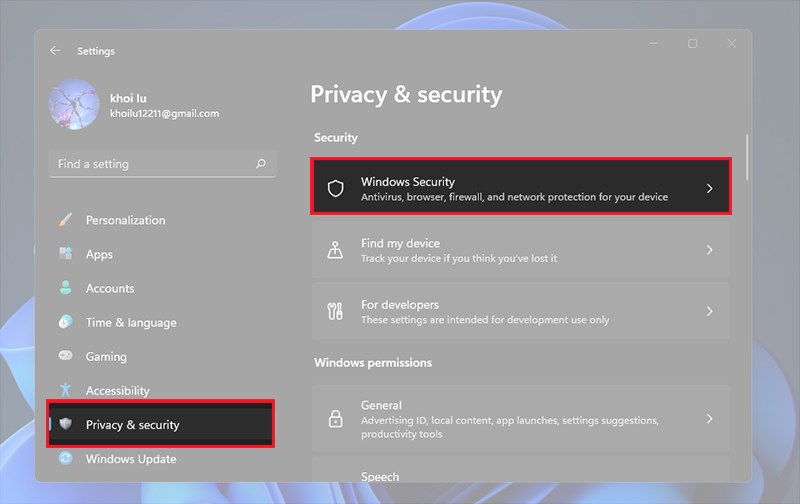
Windows Security
Bước 2: Tiếp theo, bạn chọn Virus & threat protection
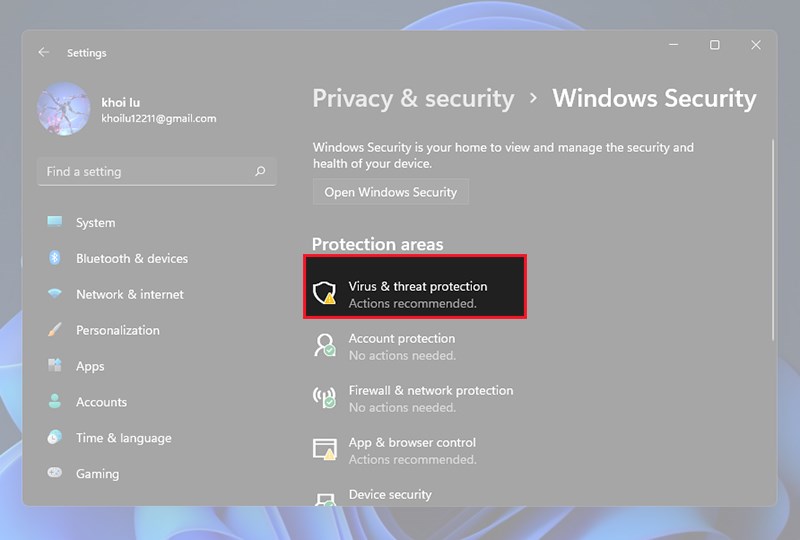
Virus & threat protection
Bước 3: Sau đó, tại mục Virus & threat protection settings > bạn chọn Manage Settings
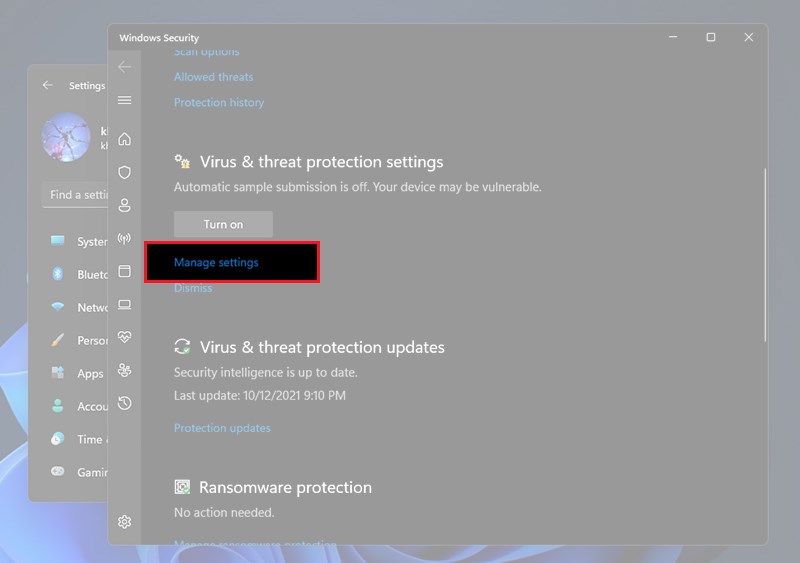
Manage Settings
Bước 4: Cuối cùng, tắt công tắc mục Real-time Protection để tắt Windows Security
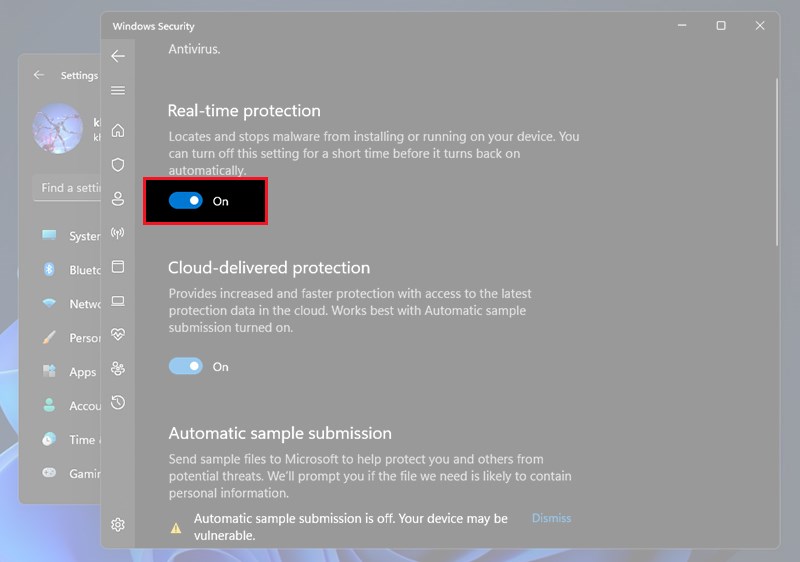
Tắt công tắc mục Real-time Protection